AutoCAD for Beginners
- Level(s) of Study: Short course; Professional
- Course Fee:
£425
- Start Date(s): 7 December 2026, 26 April 2027
- Duration: Monday to Wednesday 10 am - 4 pm, three days
- Study Mode(s): Part-time
- Campus: City Campus
- Entry Requirements: More information
Introduction:
This practical course is designed for complete beginners who want to learn the fundamentals of 2D AutoCAD for product design and spatial planning. You’ll develop the skills to create professional technical drawings, cutting files and room layouts using industry-standard CAD software. Through guided exercises and tutor support, you’ll also learn how to layout drawings, add annotations and prepare work for plotting and print output.
-
 You’ll be part of a creative studio environment that encourages experimentation, discussion and the sharing of ideas while learning industry-standard CAD skills.
 -
 With a limited class size, you’ll receive plenty of one-to-one tutor support to help you build confidence using AutoCAD from scratch.
 -
 Learn from an experienced designer maker and CAD tutor with professional industry experience in product design, technical drawing and digital manufacturing workflows.
 -
 On successful completion of the course, you will receive a certificate of attendance.
What you’ll study
AutoCAD remains one of the most widely used CAD programs across design, architecture, interiors and manufacturing industries. Whether you want to communicate product ideas professionally, create accurate cutting files, develop room layouts or improve your technical drawing skills, this course will give you a strong foundation in 2D CAD workflows.
Designed specifically for beginners, the course introduces the essential AutoCAD tools and commands needed to produce accurate digital drawings with confidence. You’ll learn how to navigate the software, draw and edit geometry, organise drawings effectively and prepare professional layouts ready for print or manufacture.
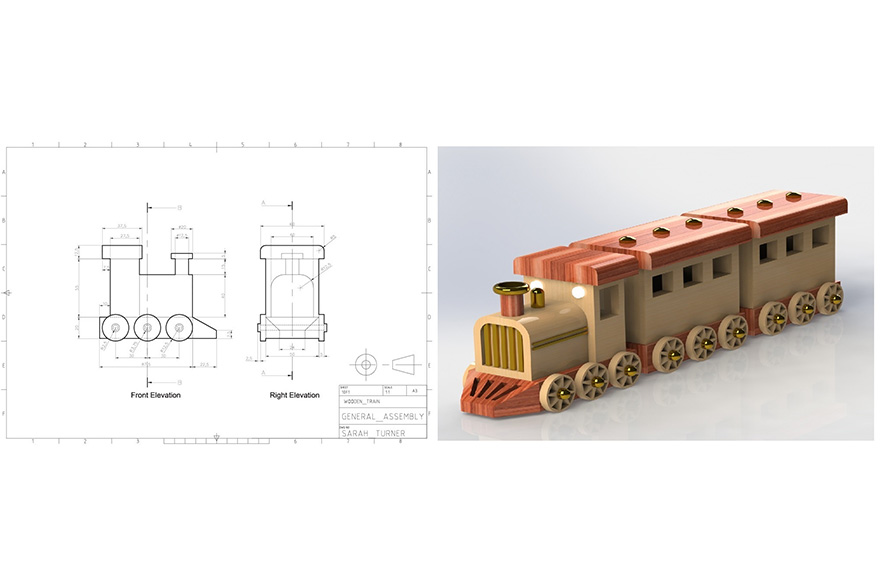
Through a series of practical exercises, you’ll create technical product drawings, simple room layouts and production-ready vector files while gaining an understanding of drawing standards, dimensions and annotations. By the end of the course, you’ll have developed a portfolio of CAD exercises and the confidence to continue using AutoCAD independently for personal, educational or professional projects.
During this course, you will:
- Learn the fundamentals of the AutoCAD interface and workflow
- Create accurate 2D technical drawings using essential draw and modify tools
- Produce product design drawings and simple room layouts
- Understand layers, object properties and drawing layout
- Add dimensions, text and annotations to technical drawings
- Create layouts and prepare drawings for plotting and print output
- Export and prepare files suitable for laser cutting and digital manufacture
- Develop confidence working independently in AutoCAD
Introduction to AutoCAD
- Understanding the AutoCAD workspace and interface
- Basic drawing and modification tools
- Navigation, file management and drawing setup
Technical Drawing Construction
- Creating accurate technical drawings
- Working with layers and object properties
- Developing efficient drawing workflows and organisation
Paper Space, Annotation and Plotting
- Laying out technical drawings in paper space
- Adding dimensions, text and annotations
- Preparing and plotting professional drawing sheets
Room Layouts
- Creating scaled room layouts and floor plans
- Using precision tools and drawing aids
- Organising layouts for presentation and print
Files for Laser Cutting and CNC Routing
- Preparing clean vector files for manufacture
- Understanding line work and file requirements
- Exporting drawings for laser cutting and CNC routing
Tailored Project Session
- Develop a project based on your own interests or requirements
- Apply the skills learned throughout the course
- One-to-one tutor guidance and troubleshooting support
How you’re taught
This course will be delivered in person on Nottingham Trent University city campus.
Teaching will combine live demonstrations, guided practical exercises and individual support throughout the course. The sessions are highly hands-on, allowing you to learn by doing while building confidence with the software step-by-step. You’ll work on a series of structured tasks designed to reinforce technical skills and professional workflows.
Contact hours
You will receive 15 contact hours of tuition with an experienced tutor.
Careers and employability
The course is designed to prepare you to succeed in industries where CAD and technical drawing skills are increasingly essential, including product design, interior design, architecture, fabrication, manufacturing and planning. Previous attendees have come from a wide range of backgrounds including design graduates/students, artists, makers, manufacturing professionals, planners, small business owners and career changers looking to develop digital design skills.
The skills gained on this course can support freelance creative practice, technical communication, portfolio development, further study or professional upskilling across both creative and industrial sectors.
Certificate of attendance and digital badge
Upon successful completion of the course, you will receive a digital certificate of attendance and a digital badge powered by Accredible.
Your digital credential is more than just a certificate. It’s secure, verifiable, and protected against fraud through encryption and blockchain technology.
They also come with detailed metadata, including an overview of the skills you have achieved on the course, evidence of completion, and assessment criteria if appropriate.
Share your achievements seamlessly with friends, customers, and potential employers online, and proudly add your badge or certificate to social media platforms such as LinkedIn, so all the right people can see it.
Campus and facilities
You will be based in the School of Architecture Design and the Built Environment on the City Campus.
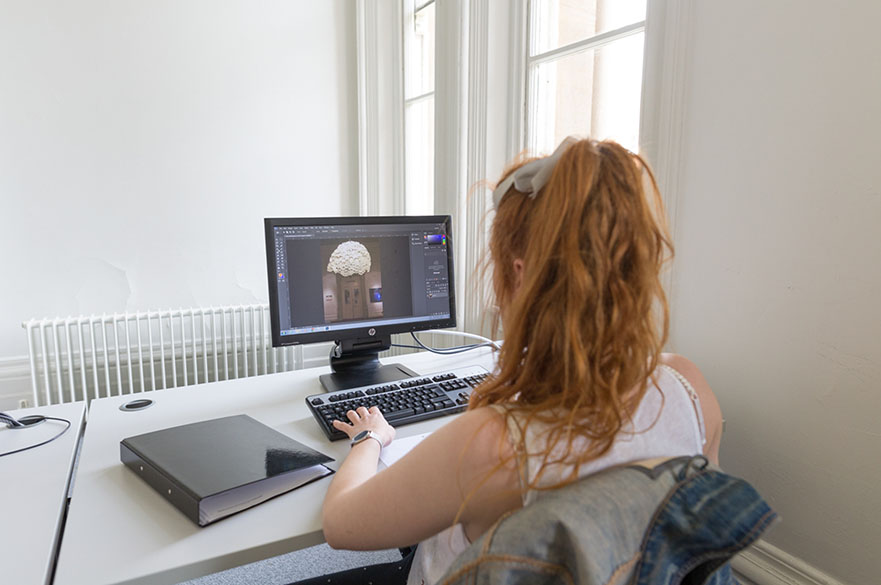
You’ll work in one of our spacious IT suites equipped with industry standard software.
You will receive an email one week before the course starts with joining instructions on where to go for the first day.
You’ll also have access to our library to use outside of your short course; whilst you can’t reserve or take away books, you are welcome to use them as a resource for research and referencing.
Entry requirements
Level: Beginner
Entry requirement: No software experience is required, although you must have basic computer skills and be familiar with Windows operating systems and file management.
You must be over the age of 18 in order to attend this course.
Fees and funding
The fee for this course is £425.
Payment is due at the time of booking - ask us if you'd prefer an invoice sent to your company.
Your course fees cover the cost of studies and include great benefits such as the use of our modern library and free use of the IT equipment and software on the campus during your course.
You will also need to bring with you a USB stick, notepad, and pen.
You can read the terms and conditions of booking here.
How to apply
You can book your place via the NTU online store:
7 - 9 December 2026, Monday to Wednesday 10 am - 4 pm, three days
26 - 28 April 2027, Monday to Wednesday 10 am - 4 pm, three days
Any questions?
Contact the short course team:
- Email: creativeshortcourses@ntu.ac.uk
- Tel: +44 (0)115 848 2813